 Baby Poop Diary
Keeping a record of mucus and blood
Caring for a baby with cow’s milk protein allergy (CMPA)? Keep a photo history to review with your pediatrician.
A baby poop tracker built around photos. Keep entries organized by day, note mucus or blood, and review changes with your pediatrician.
How it works
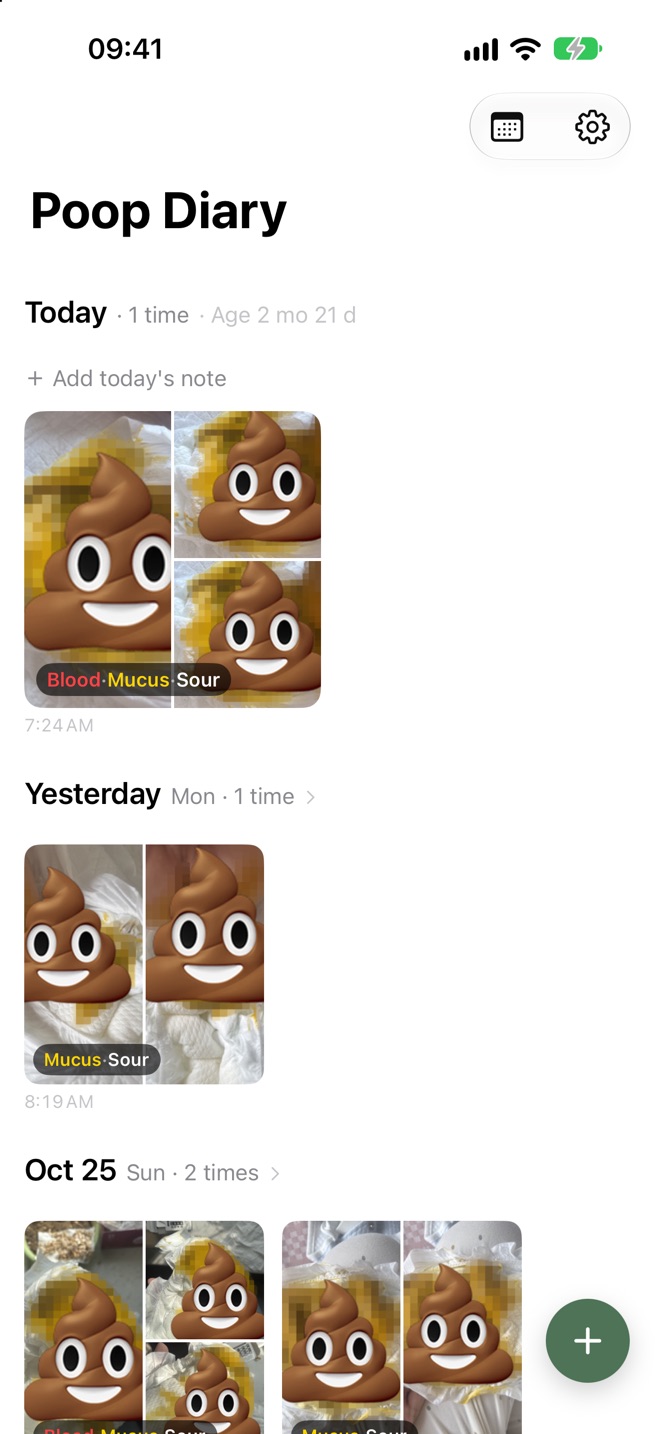
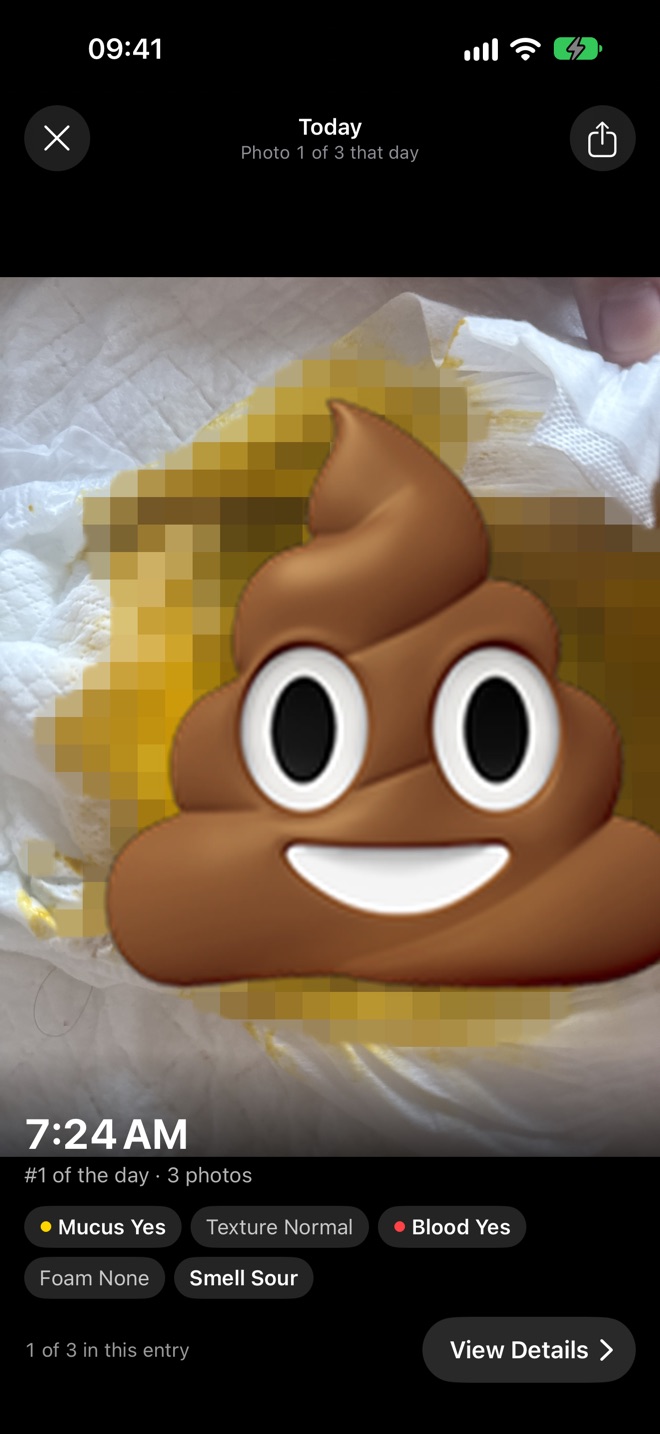
A photo is all you need to start an entry. Add observations and notes whenever you want.
Tap + to open the camera and take a photo. You can also import existing photos in bulk, organized by the date they were taken.
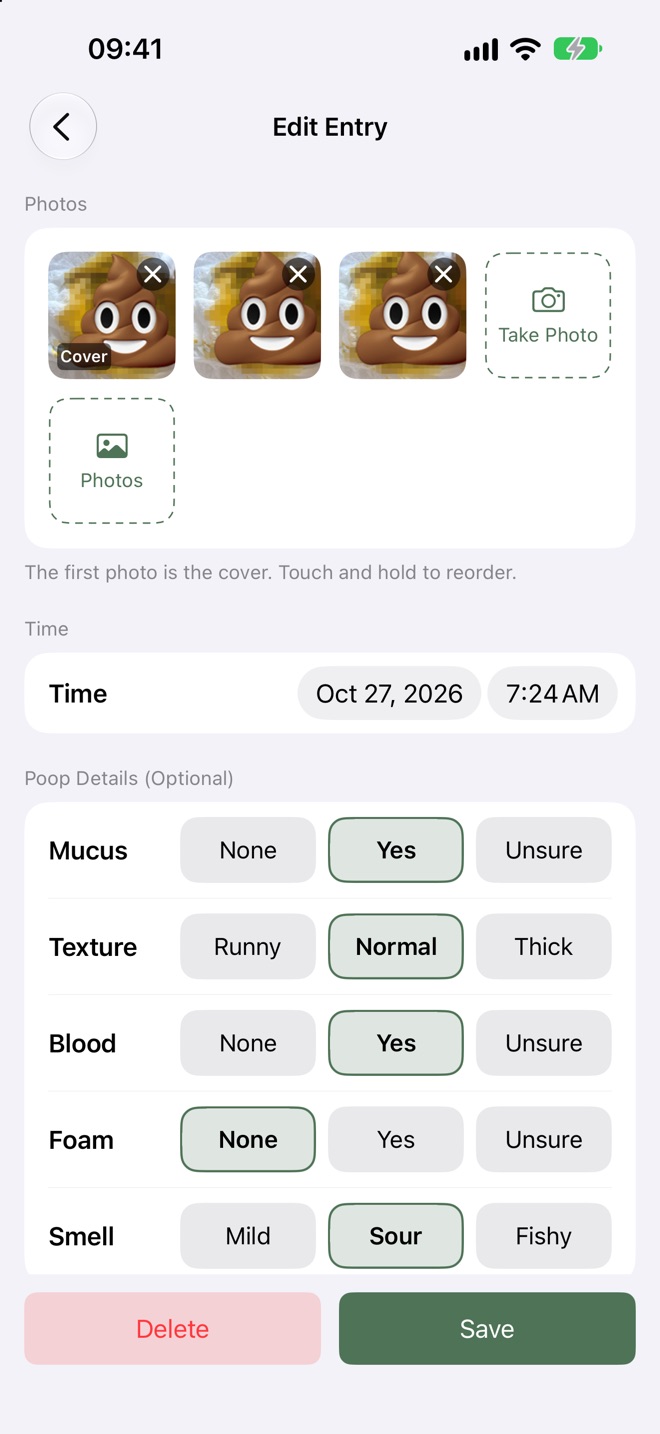
Leave anything you haven’t checked blank. Unrecorded details are kept separate from “None”.
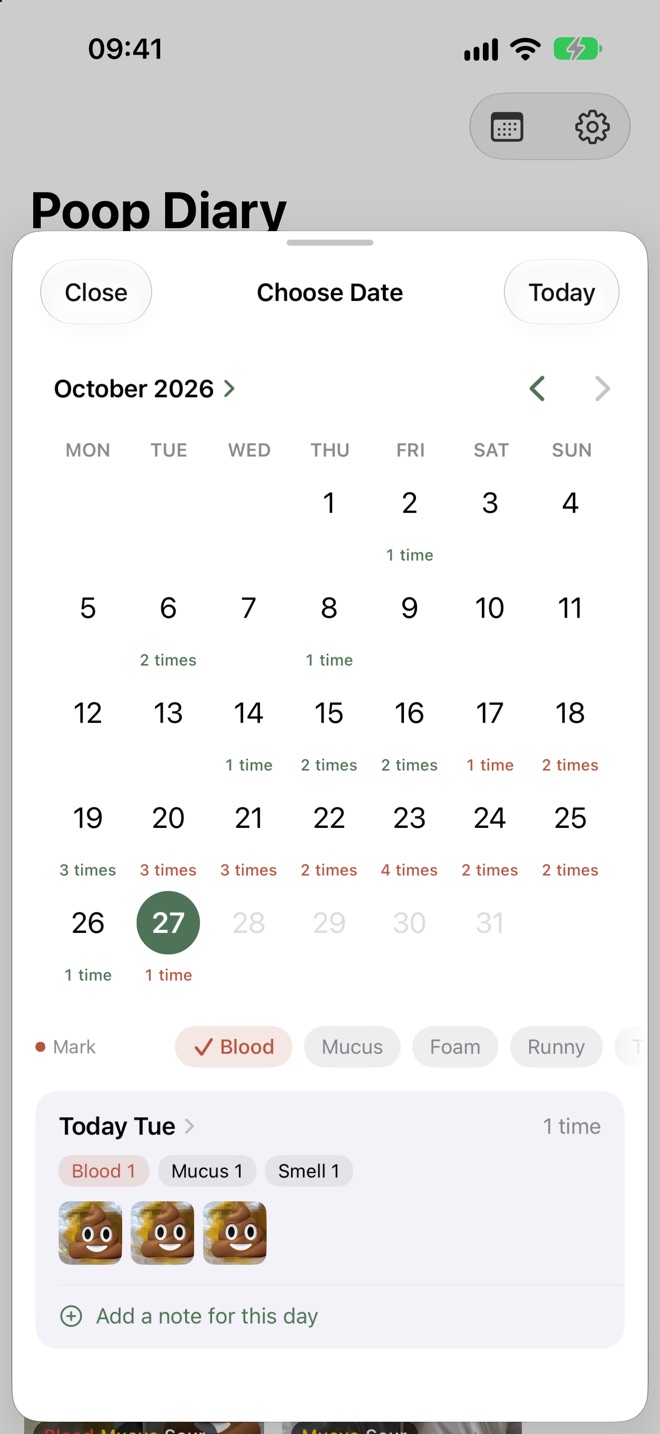
See daily counts in the calendar, with days when you recorded blood marked in red. Open a day to view its photos and notes.
Changes over time
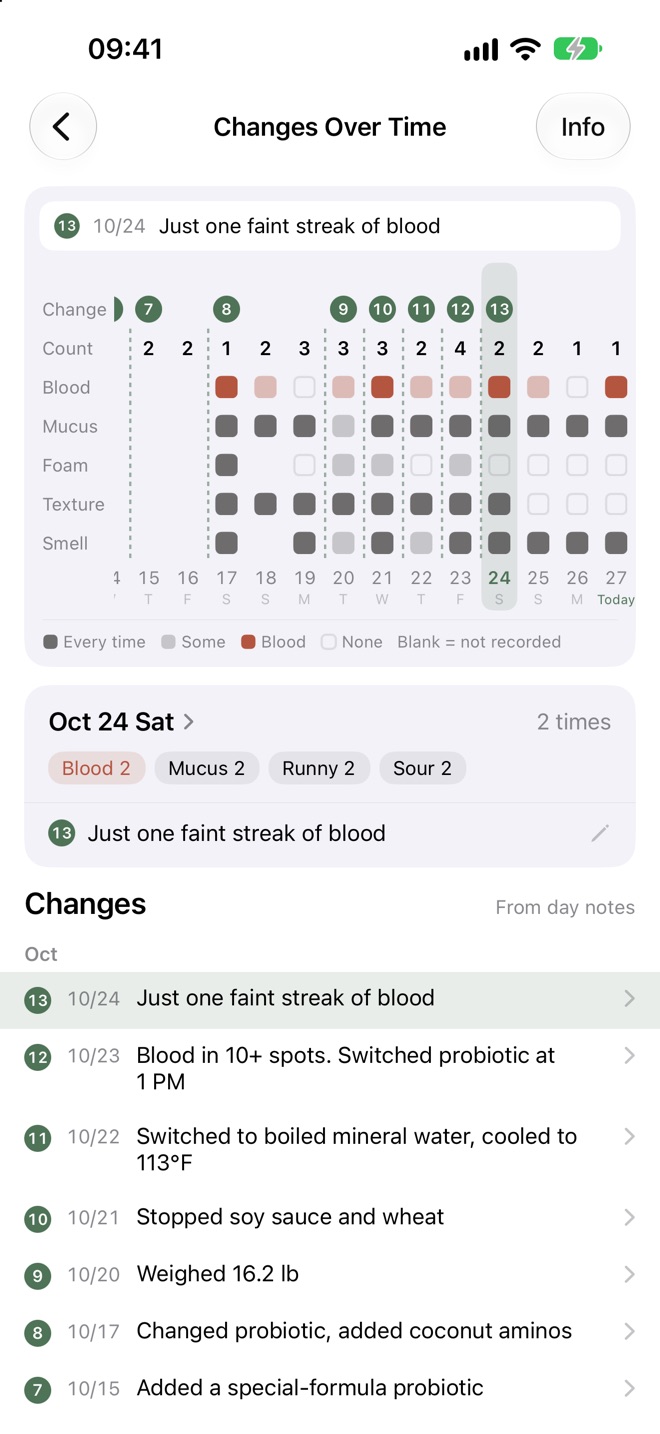
Use a daily note to record a formula change, a new food or another adjustment. Review these notes alongside daily counts and your observations of blood and mucus.
Added a probiotic
Switched probiotics; noted a dietary change
Stopped soy sauce and wheat
Noted one faint streak of blood
These records help you compare days. Discuss whether an adjustment helped with your doctor.
At the pediatrician
Open your photo log instead of searching your camera roll or relying on memory.
View each photo alongside its time and the observations you recorded.
Only selected photos are shared. Notes and observation labels aren’t included.
Add your baby’s birth date to see their age in months and days for each diary day.
Keep track of changes to your diet, new foods for your baby or a formula switch.
Made for
Caring for a baby with cow’s milk protein allergy (CMPA)? Keep a photo history to review with your pediatrician.
Write the change in a note and compare the days before and after.
A dirty diaper log with photos: counts in the calendar, details in each picture.
Why it exists
My child has cow's milk protein allergy (CMPA) and lactose intolerance. For a long stretch, I took a photo at almost every diaper change to check for mucus or blood streaks, and whether the color or the number of poops had changed.
But those photos were buried in my camera roll among everything else. When the doctor asked “How have the last few days been?”, I would scroll and scroll and still struggle to explain. After a change in diet, it was hard to compare before and after.
So I built this app: take a photo and it’s organized by day, add the details you want to remember, and open it at the next appointment to show the doctor. No sign-up is required. Photos stay on your iPhone by default, with iCloud sync available if you choose to turn it on.
— A parent of a baby with allergies, and the developer of this app · Read the full story
Privacy
No app account, ads or usage tracking.
Photos you take stay in the app and aren’t automatically saved to your photo library. iCloud sync is off by default.
Turn on “Sync to iCloud” to sync across devices using the same Apple Account. The developer can’t access your records.
FAQ
Yes. The app is free, with no app account or sign-up required. Optional iCloud sync requires an Apple Account signed in on your device and must be turned on in the app.
Keep a stool log with photos: take a photo, then choose Yes, None or Unsure for mucus and blood. Days when you recorded blood appear in red on the calendar. Changes Over Time lets you review observations alongside your daily notes. The app records what you enter; it doesn’t assess whether poop is normal.
Yes. Import from your photo library in bulk, and each photo is placed on the day it was taken.
Photos taken in the app aren’t automatically saved to your photo library. You can save them there by choosing “Save Image” in the share sheet. Importing a photo doesn’t remove the original from your library.
Turn on “Sync to iCloud” in Settings and wait for your entries and photos to finish syncing. On your new phone, sign in with the same Apple Account, install the app and turn on sync to download the synced entries. Without sync, there’s no in-app backup; deleting the app usually deletes your local entries.
In Settings, under iCloud, tap "Delete Data in iCloud". Only the entries and photos in iCloud are deleted; data on this iPhone is not affected, and sync is turned off.
No. The app helps you keep and review records; it doesn’t assess symptoms or provide medical advice. If your baby seems unwell, see a doctor.
Baby Poop Diary is for keeping records only. It doesn't judge whether poop is normal and doesn't give medical advice. If your baby seems unwell, see a doctor.